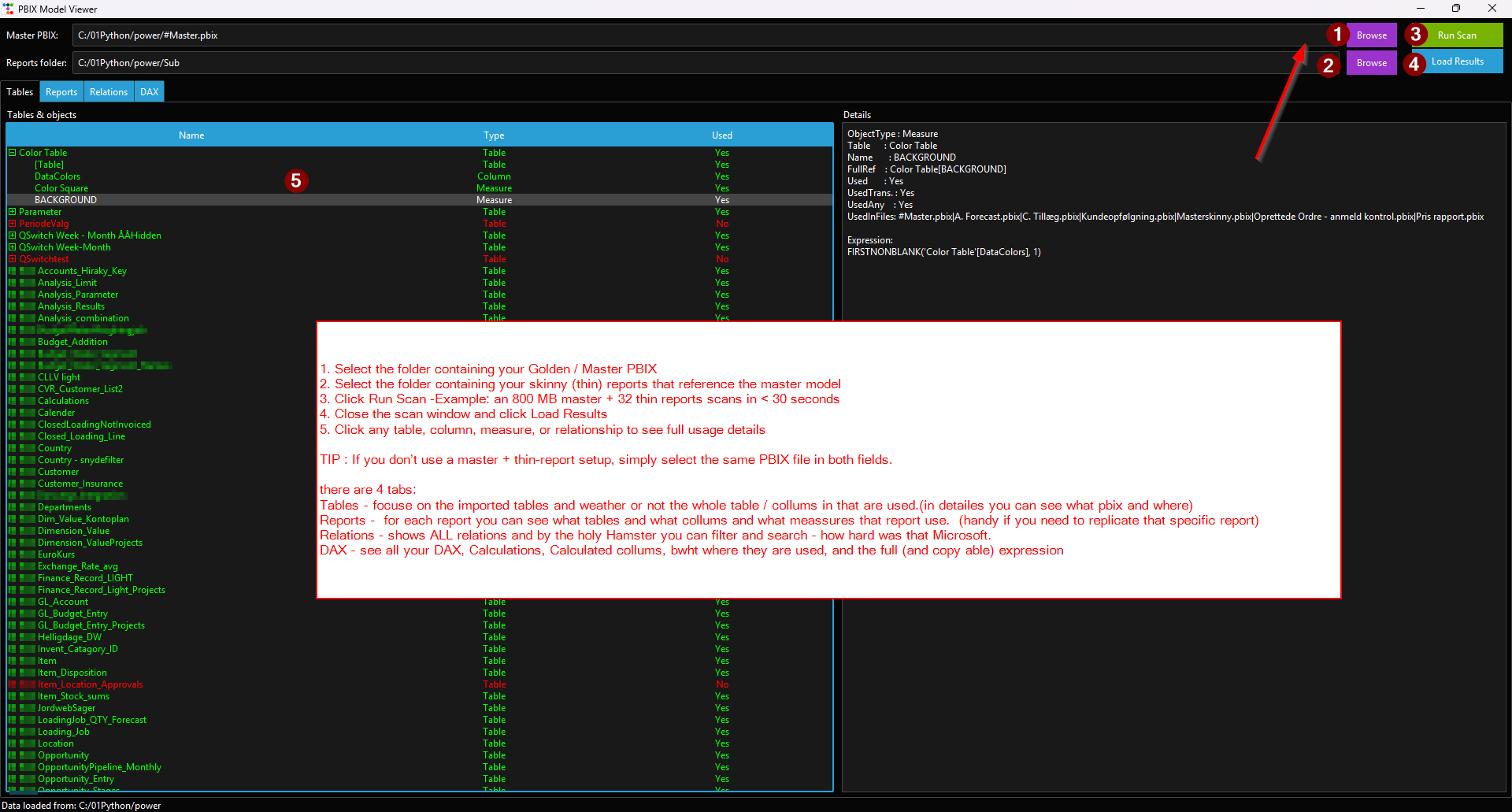
About
PowerBiNinja takes a master .pbix file and a folder of thinner report .pbix files — the typical split-model migration pattern — and works out what each report actually touches. It reads the master model's schema, measures, calculated columns, calculated tables, and relationships, then parses the Report/Layout JSON inside every report file to find references to those objects.
Results are written to a set of CSV files and a summary .xlsx workbook alongside the master file. The intent is to give you a clear picture of what is genuinely used before you reorganise or retire anything, without having to open each file in Power BI Desktop by hand.
What it does
- Reads schema, DAX measures, calculated columns, calculated tables, and relationships from the master model via PBIXRay
- Parses Report/Layout JSON from each .pbix in the reports folder, handling UTF-16-LE, UTF-8, and CP-1252 encodings
- Maps per-visual field references (queryRef projections and string-pattern fallback) back to master model objects
- Filters out auto-generated date scaffolding tables (LocalDateTable_, DateTableTemplate_) to keep output tidy
- Writes findings to pbix_structure.csv, model_usage.csv, model_relationships.csv, report_usage_details.csv, and model_overview.xlsx
Requirements
Windows 10+, 64-bit. No Python installation required for the .exe — everything is bundled via PyInstaller.
Verify the download
Before running the executable, compare its SHA-256 hash to the one below.
2d9b45606f42de5db4be6be89bb4f8ab7d3fdddf6a55ba643291e7086d2b9a9f
In PowerShell, from the folder where you saved the file:
Get-FileHash .\powerbininja-v1.0.zip -Algorithm SHA256
If the output matches the hash above, the file is intact. If not, delete it and re-download.
Build it yourself
The source .zip contains everything needed to rebuild the executable from scratch:
powerbininja.py— the full source.requirements.txt— pinned Python dependencies.build.bat— installs deps into a local venv and runs PyInstaller.README.md— build and usage notes.
With Python 3.12 installed, unzip and run:
build.bat Known limitations
Accepts paths as command-line arguments only; there is no GUI or drag-and-drop interface.